Bingo Live: Online Bingo Games
GAME TVYTrivia
4.7218.00 Reviews
- Version
- 15
- Installs
- 100.00K
- Age Rating
- Everyone
Screenshots


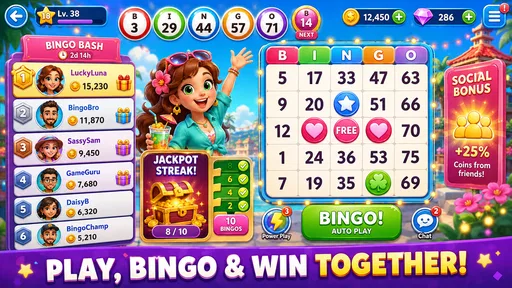
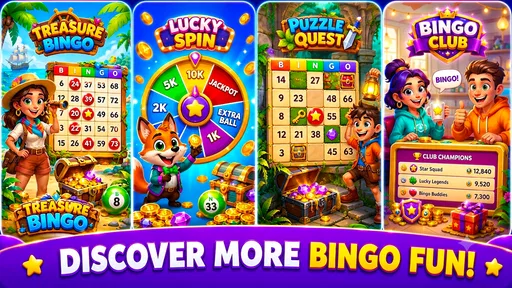
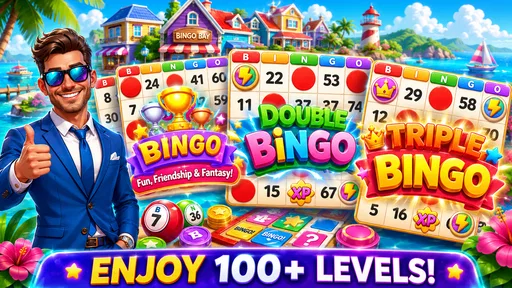
Our Review of Bingo Live: Online Bingo Games
 Analysis by Appyee
I usually think of bingo as a game best suited to a relaxed evening, but a phone changes the setting: a short session can fit into a quiet break, and an online room can make the play feel less solitary. Bingo Live: Online Bingo Games is a free trivia game from GAME TVY, built around bingo and available for Android and iOS. Its appeal is straightforward: it offers a familiar pastime in a mobile format, while its online and offline play options give it more flexibility than a game that depends on being connected every time you open it.
Who will enjoy this kind of bingo?
I’d recommend it first to people who already enjoy marking numbers and want a casual game they can dip into without learning a complicated ruleset. It can also suit someone who likes the anticipation of a number call but doesn’t have a local group to play with. The social setting may be part of the attraction, though players who prefer quiet, solitary puzzles might find a live room less relaxing than a simple offline game.
It is worth setting expectations: this is bingo, not a broad trivia quiz where knowledge determines the result. The category label may suggest questions and answers, but the game’s identity is centered on bingo. If you want to test facts, solve word puzzles, or make decisions that reliably change the outcome, a quiz or strategy game is likely a better match. Here, the pleasure is more about following the calls, staying attentive, and enjoying the suspense as a card fills.
Readability, navigation, and the first few minutes
My first impression was of a colorful, approachable interface rather than a formal casino-style layout. That can help a new player feel at home quickly, especially if they already know how bingo works. GAME TVY’s game has an average rating of 4.6 from around 2.6 thousand ratings, and it has been installed over 100 thousand times. Those figures suggest that it has found an audience, but they don’t tell me whether every player will find the screens comfortable or the pace suitable.
The practical test is whether you can follow the game while also keeping track of your card. Before settling into a longer session, I’d spend a moment checking where the current game information and any available controls are placed. This small habit matters on a phone: if you need to search for a setting in the middle of a round, you may miss a call. Familiarize yourself with the screen while there is no pressure, then choose a session length that leaves you time to learn the flow.
The game is listed for a minimum operating system of version 7.1, and its current version is 13. It is rated for Everyone, so its stated age suitability is broad. That does not automatically mean every screen, sound, or social interaction will work equally well for every person, but it does make the game easier to consider for a mixed-age household than an app aimed at adults only.
Sound, attention, and playing comfortably
Bingo asks for sustained attention in a particular way: you follow a sequence of calls, compare them with your card, and try not to lose your place. Sound can make that rhythm more engaging, but depending on audio alone is not always convenient. In a shared room, on public transport, or during a quiet break, I’d keep the phone’s volume low or muted if the game remains easy to follow visually. If you find small visual details tiring, take a short pause rather than trying to force a long session.
Motor comfort matters too. A round that requires repeated taps can feel very different on a small screen from a game played with a mouse or a physical card. I would hold the phone in whichever orientation feels steady, avoid playing while walking, and use a short trial session to see whether the pace gives you enough time to respond. Those are practical precautions, not claims that the app includes special accessibility controls.
For players with limited dexterity, reduced vision, hearing differences, or sensitivity to busy visuals, the best choice depends on how the actual screen behaves on their device. I would test a brief round before committing to longer play. Someone who needs large text, highly adjustable contrast, extensive input options, or complete control over animation may be better served by a bingo app that clearly offers those adjustments, or by physical bingo with a host who can adapt the pace.
Online and offline fit different moments
The option to play online or offline is useful because not every break happens in the same conditions. If you have a reliable connection and want the feeling of sharing a game with other people, online play is the obvious place to start. If you are travelling through a patchy-coverage area or want something to do without relying on a steady connection, the offline option may be more suitable. I’d still open the game before a trip and check that the mode I intend to use is available as expected, rather than assuming every online element carries over offline.
Imagine waiting for an appointment: you may have only a few minutes, and you might not want to join a social room with a longer stretch of play ahead. An offline session is the more natural fit if you simply want to pass the time. At home after dinner, when you can give the game more attention, an online session may feel livelier. Matching the mode to the moment is a more useful approach than treating one style as best for every situation.
How it compares with other bingo choices
Compared with a basic digital bingo card, the attraction here is the online setting and the possibility of playing in more than one context. A physical bingo night is still better if you value face-to-face conversation, a caller in the room, and a shared event away from screens. A solo number-matching game may be preferable if you want silence and total control over when to pause. This game sits between those choices: it brings bingo to a phone and offers online and offline play, but the screen remains the center of the experience.
That trade-off is particularly relevant for families or friends considering a shared activity. The Everyone age rating makes it broadly approachable, but a phone game is not automatically a good group game for a room full of people. If everyone is looking at separate screens, it may not create the same conversation as playing together around a table. I’d use it as a convenient individual pastime, or as a prompt for a group to compare their experience, rather than assuming it will replace an in-person gathering.
Spending, pace, and sensible limits
The game is free to download, with in-app purchases ranging from $0.99 to $99.99 per item. That is a wide range, so I’d decide in advance whether I’m happy to play without paying and avoid treating a purchase as necessary to enjoy a casual round. The app’s free entry point makes it easy to try, while optional spending means it is worth being deliberate if a younger player uses the device. A simple household rule—ask before buying, or keep purchases restricted through the device’s settings—can prevent an impulsive tap from turning into an unwanted expense.
For me, the useful question is not whether a purchase promises a shortcut, but whether the game remains enjoyable at the pace I’m willing to play. If a session starts to feel like a demand to spend or keep up, I’d close it and return another time. Bingo works best as low-pressure entertainment; it loses that quality if I begin treating a leaderboard or a reward loop as a reason to spend more than I intended.
Where friction may show up
Online play depends on the circumstances around the player: a noisy setting can make calls harder to follow, and a poor connection can make any live experience less convenient. Offline play helps with some situations, but it may not offer the same social atmosphere. That distinction is important for anyone choosing the game mainly for conversation. I would try both contexts before deciding which one suits me, rather than assuming that an offline round will feel identical to a live room.
There is also a difference between a welcoming-looking interface and one that is genuinely comfortable for a particular person. Bright colors may feel cheerful to one player and distracting to another; sound effects may add atmosphere or become tiring. If a person needs specific accessibility options, they should judge the game on a real device and not infer support from its broad age rating. For a player who cannot comfortably track number calls or tap at the required pace, a slower physical game or a more adjustable alternative is the kinder choice.
Getting Started with Bingo Live
First things first, setting up Bingo Live: Online Bingo Games is a breeze. Available for both Android and iOS, downloading the app is just a tap away. Once installed, you’ll be greeted by a vibrant and user-friendly interface that screams "fun" from the get-go. Creating an account is simple and can be done through social media or email, which means you can be up and playing in no time.
Gameplay Experience
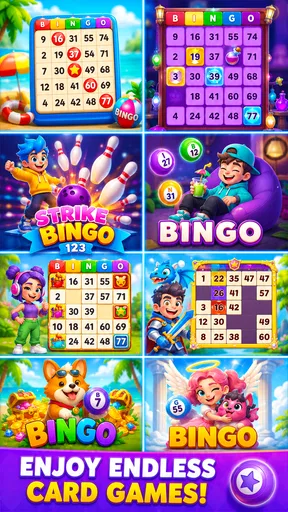
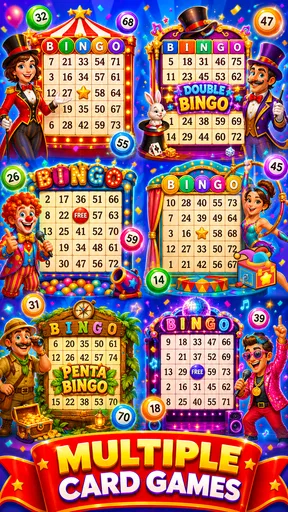
The gameplay is where this app truly shines. You can choose from a variety of bingo rooms, each offering different themes and challenges. Whether you’re in the mood for a classic 75-ball game or something with a twist, Bingo Live has got you covered. The app even includes special power-ups that can boost your chances of winning, adding a strategic layer to the traditional bingo experience.
One of the features I loved is the social aspect. You can chat with other players in real-time, making it feel like you’re right there in a bustling bingo hall. The community is lively and friendly, and I found myself making a few bingo pals along the way. This social element truly enhances the overall experience, making each game feel more interactive and engaging.
Visuals and Sound
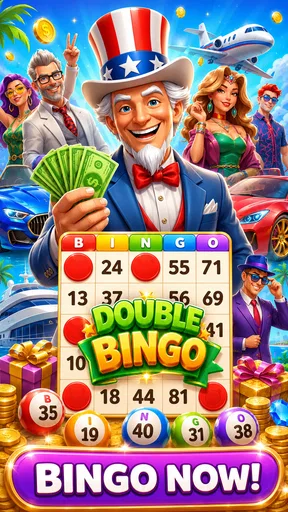
Visually, Bingo Live is a treat. The graphics are crisp and colorful, creating an inviting atmosphere that’s easy on the eyes. Each bingo room has its own unique theme, with stunning visuals that keep the gameplay fresh and exciting. The sound effects are delightful, capturing the essence of the bingo hall with each number call and win announcement. It’s these little details that really pull you into the game.
Rewards and Challenges
What’s a game without rewards, right? Bingo Live offers a plethora of daily challenges and rewards that keep you coming back for more. Completing challenges and leveling up grants you access to new rooms and exclusive items. There’s always something to strive for, which adds a layer of motivation to keep playing. And let’s be honest, who doesn’t love a little friendly competition?
In-App Purchases
While the app is free to download, there are in-app purchases available for those who want to enhance their gameplay. You can buy coins and power-ups, but I found that the game is generous with its rewards, allowing you to enjoy it without spending a dime. However, if you’re looking to climb the leaderboards quickly or unlock special features, a few extra bucks could be worth it.
Final Thoughts
Overall, I found Bingo Live: Online Bingo Games to be an absolute blast. It’s a fantastic way to enjoy bingo without leaving the comfort of your home, and the added social features make it a standout in the sea of mobile games. Whether you’re a bingo veteran or a newbie looking for some fun, this app offers an engaging experience that’s hard to put down.
So, grab your virtual bingo card and get ready to shout "Bingo!" in the world of Bingo Live. You won’t be disappointed!
Verdict
Strengths of Bingo Live: Online Bingo Games
- Engaging multiplayer experience.
- Frequent updates with new themes.
- User-friendly interface design.
- Variety of bingo game modes.
- Rewarding daily bonuses.
Limitations of Bingo Live: Online Bingo Games
- Occasional in-app ads.
- Requires stable internet connection.
- Limited offline features.
- Some in-app purchases are pricey.
- Can be repetitive over time.
Similar Picks in This Category
View All
Millionaire 2026 Quiz & Trivia
Quiz & Trivia Games by Submarine Apps4.5

Brain Test 2: Tricky Stories
Unico Studio4.7

Trivia Crack: Brain Quiz Games
etermax4.4

QuizzLand. Quiz & Trivia game
Quiz & Trivia Games by Mno Go Apps4.8

Brain Test: Tricky Puzzles
Unico Studio4.7

Logo Quiz
bubble quiz games4.5
Frequently Asked Questions
What is Bingo Live: Online Bingo Games all about?
Bingo Live: Online Bingo Games is an engaging app that allows users to play bingo in real-time with players from around the world. It offers various bingo rooms and themes to enhance the gaming experience. Players can enjoy both classic and modern versions of bingo, participate in tournaments, and earn rewards.
Is Bingo Live: Online Bingo Games free to play?
Yes, Bingo Live: Online Bingo Games is free to download and play. However, the app offers in-app purchases for additional features, such as power-ups, special bingo cards, and more. These purchases can enhance your gameplay but are not necessary to enjoy the basic features of the game.
What are the system requirements to run Bingo Live on my device?
Bingo Live: Online Bingo Games requires a stable internet connection and is compatible with most Android and iOS devices. Ensure your device is running on the latest operating system version for optimal performance. It's recommended to have at least 100 MB of free storage space to accommodate the game and updates.
How can I ensure a safe and fair gaming experience?
Bingo Live employs strict security measures to ensure a safe and fair gaming environment. The app uses advanced encryption to protect user data and has anti-fraud systems in place. Players are encouraged to report any suspicious activity and can contact customer support for assistance with any concerns.
Can I play Bingo Live with my friends?
Absolutely! Bingo Live: Online Bingo Games allows you to connect with friends by inviting them to join your bingo games. You can create private rooms for a more personalized experience or team up in tournaments to compete against other players. Social features, such as chat, enhance the multiplayer experience.
Play our best games!


